

A Windows IPTV player for M3U playlists, Xtream Codes, and Stalker portals.
IPTV Player Zero is a Windows IPTV player designed for users who want live TV, program guide navigation, recordings, downloads, and VOD—all within a single desktop application. It supports M3U and M3U8 playlists, Xtream Codes logins, and Stalker or MAC portal sources, allowing you to use the connection method already provided by your service—so there’s no need to rebuild your setup for a different app.
IPTV Player Zero is a player-only application. You provide the playlist, portal, or provider account details.
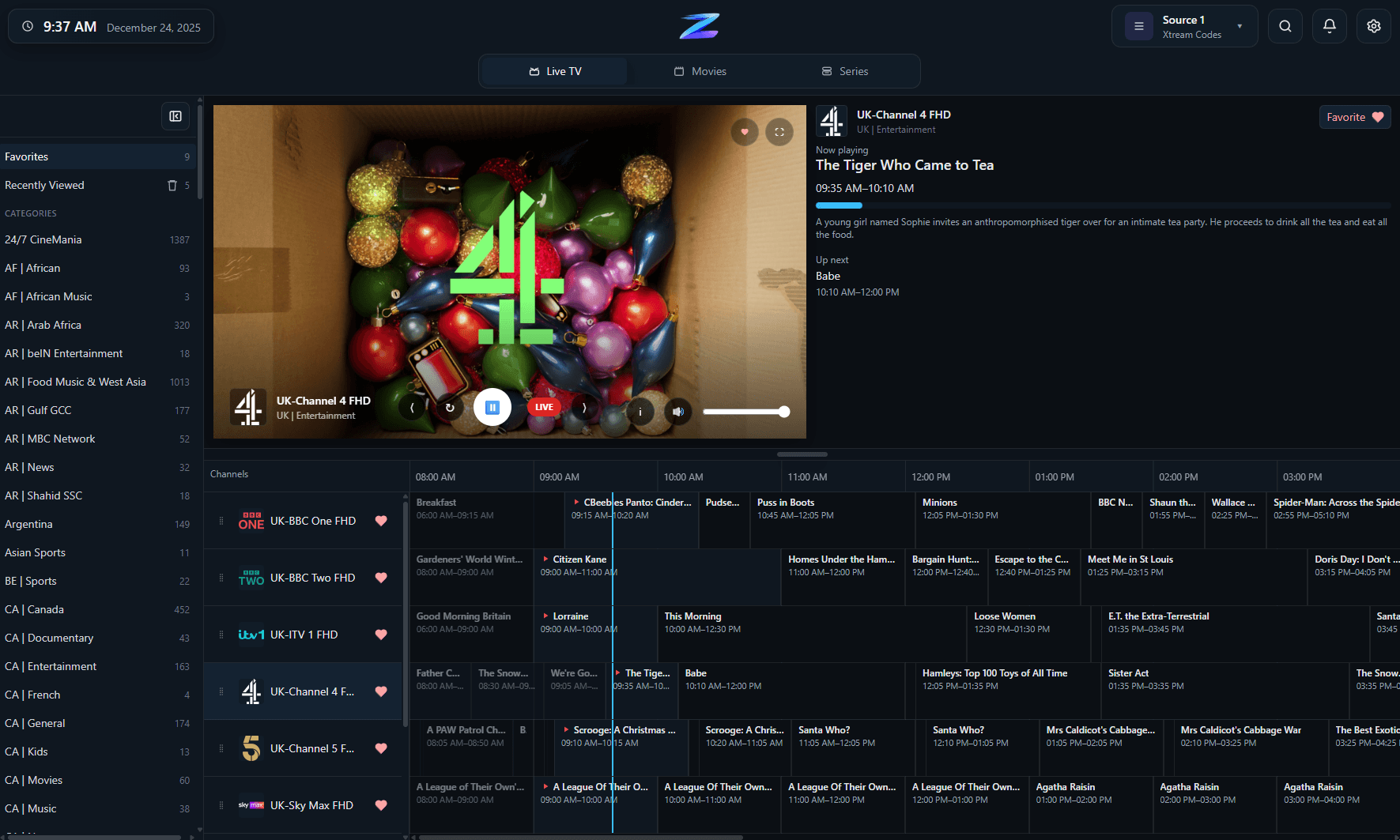
Live TV channel list within IPTV Player Zero on Windows.
Live television on Windows
Browse channels, manage favorites, view recently watched channels, and enjoy a streamlined viewing experience right from your desktop.
Compatibility
An overview of what this setup covers.
A quick, factual summary of supported platforms, source compatibility, EPG (Electronic Program Guide) behavior, and the scope of this player-only application.
Platforms
Windows desktop (available via the Microsoft Store or as a standalone installer).
Playlist Formats
M3U/M3U8, Xtream Codes, and Stalker/MAC portals.
EPG Behavior
Supports EPG data from your provider or a chosen EPG source, including EPG time-offset adjustments.
Recording
Record live television from compatible sources.
Downloads
Download movies and series where supported.
Parental Controls
4-digit PIN, with optional keyword-based filtering.
Player-Only Scope
The application does not provide any channels, playlists, or subscriptions.
Details
The practical aspects of this workflow. Designed for desktop IPTV—beyond just basic playback
On Windows, the main advantage is having live TV, the program guide, movies, and series all in one place, rather than having to jump between separate applications.
Switch between live TV and VOD without changing apps.
Access guide reminders, favorites, search, and recently watched channels—all within a single, seamless workflow.
Manage channel organization and parental controls, all from within the same desktop application.
Compatible with the connection types Windows users already rely on
Most Windows IPTV users typically use one of three setup methods: a simple playlist URL, Xtream credentials, or a Stalker-style portal.
M3U/M3U8 import supports both local files and URLs.
Xtream codes are generally the best choice when you want richer metadata and program guide support.
Stalker or MAC Portal sources remain available for cases where your provider relies on a portal-based workflow.
A seamless experience, even after the initial setup
The application is designed with the post-setup experience in mind—an area where many other Windows IPTV players often fall short.
Record live TV and download movies or series (where the source allows).
Pick up where you left off with progress tracking, and enjoy automatic playback for the next episode.
Customize the look and feel with themes, while maintaining fast navigation—even for large libraries.
DOWNLOAD LINK: https://mega.nz/file/buIwUQxA#PWACK-hoHfkUuYj9VK1-97TTK30_ADV1OzTCuxrJY2Y
Download - IPTV Player Zero Potente Reproductor IPTV | Welcome to My Iptv Forum